See Every Device on Your Account
Check every device signed in to your Vyro account, and sign out of any session you don't recognize.
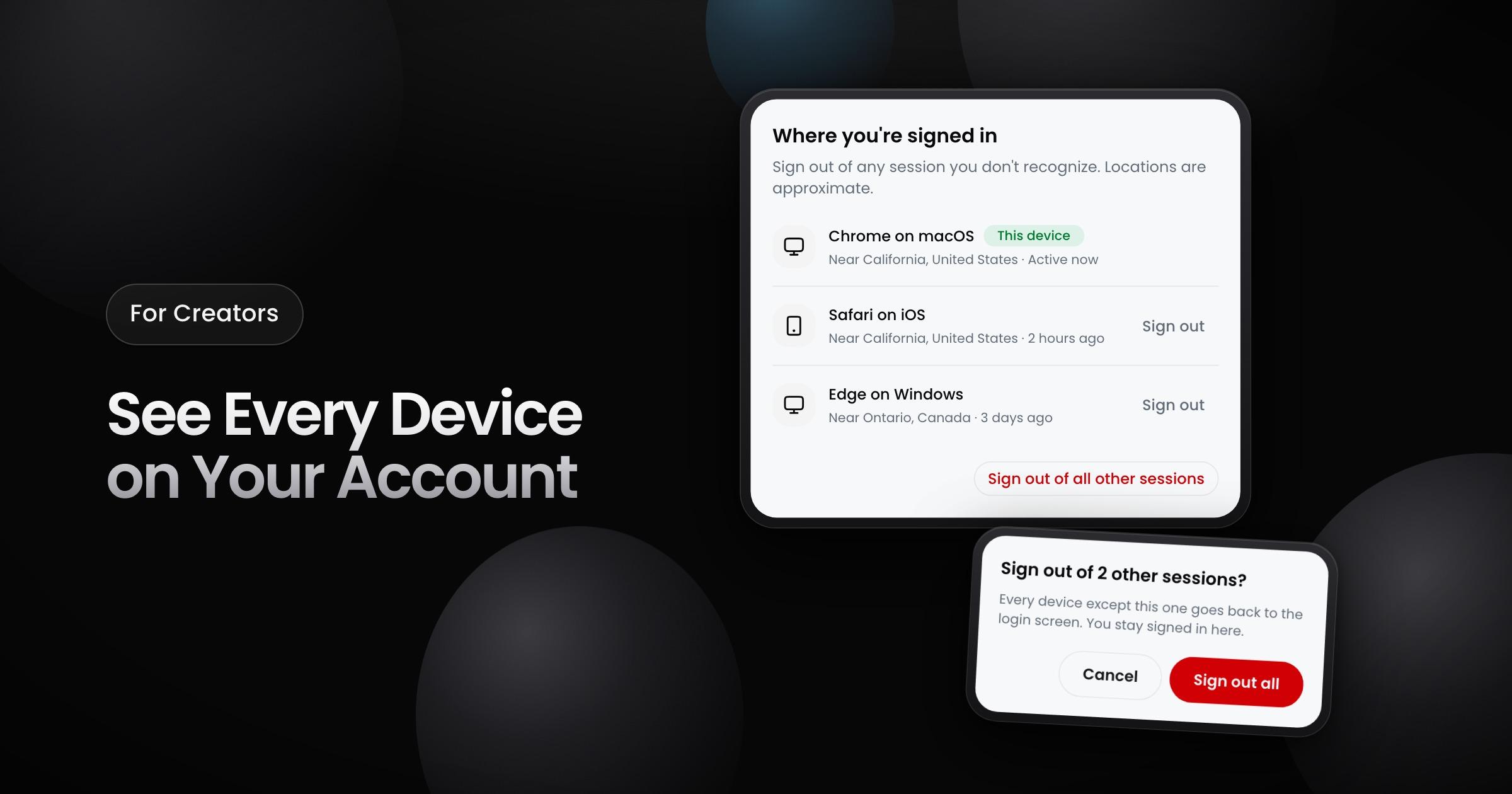
Creators can now see every device that is signed in to their Vyro account, and sign out of a device that they do not recognize.
What the list shows
Go to Settings > Sessions. Each row is one device that is signed in to your account:
- Device: the browser and the operating system, for example Chrome on macOS. "This device" marks the device that you use now.
- Location: the approximate region and country of the device.
- Last activity: "Active now", or the time of the last activity on that device.
Sign out of a session
- One session: select Sign out on its row, then confirm.
- All other sessions: select Sign out of all other sessions. Every device except this one goes back to the login screen. You stay signed in on this device.