Paste Any Post Link, See Why It Fails
Submit your post with the link your app gives you, and get the exact reason and the fix when a submission fails.
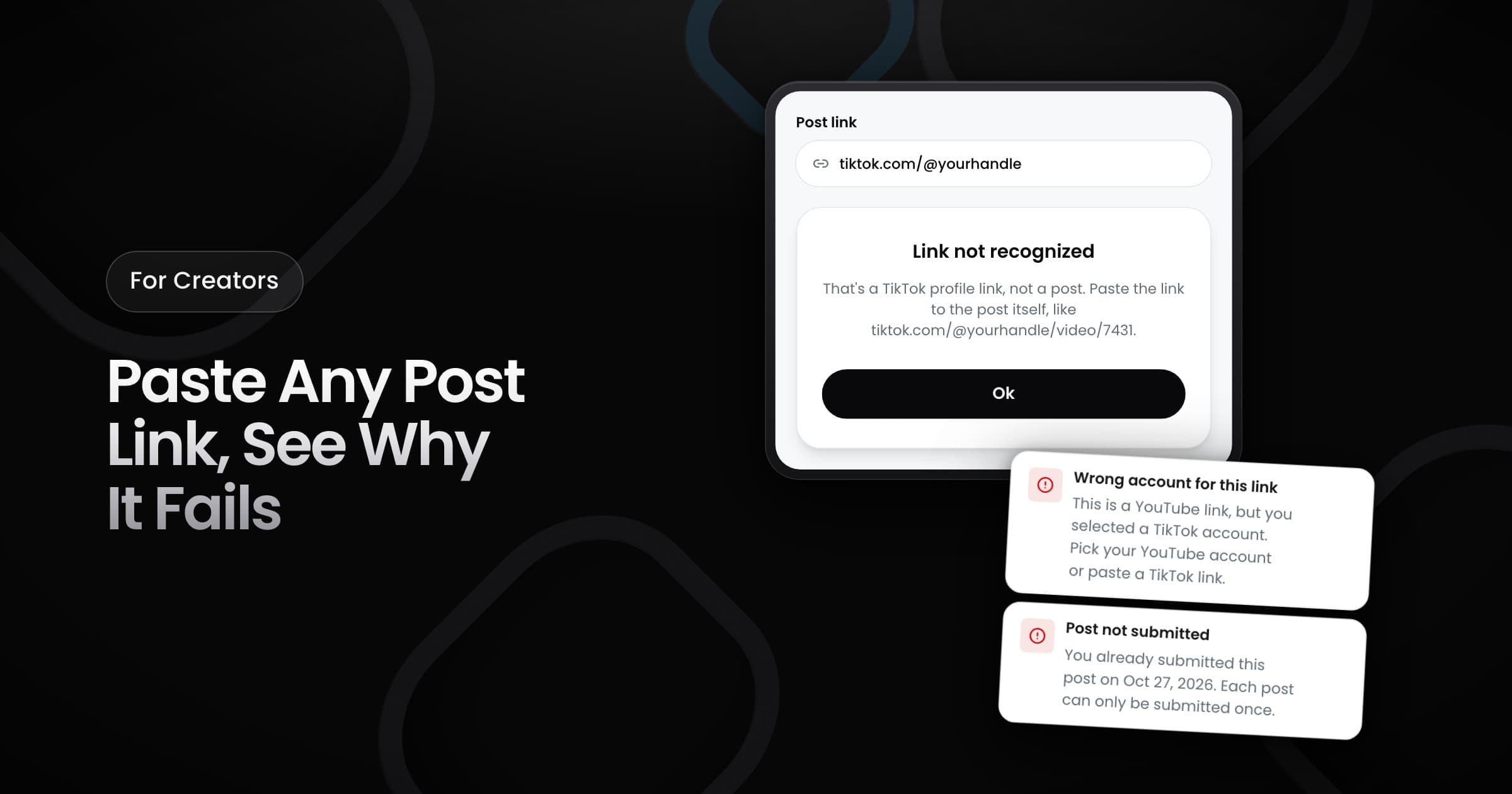
Starting today, you can submit your post with the link that your app gives you. When a submission fails, Vyro tells you the reason and what to do.
Links that work
Vyro now accepts more link formats for TikTok, Instagram, YouTube and X:
- Share links: the short links that the share button gives you.
- Mobile links: the links that you copy from the app on your phone.
- Links with extra text: links with tracking text at the end.
- Shorts, Reels and live links: the special links for these types of posts.
When a submission fails
Each problem now has its own message, not a general error:
- Profile link: you pasted the link to a profile, not to a post. The message shows an example of a post link.
- Wrong account: the link is from a different platform than the account that you selected, or a different account posted it.
- Already submitted: you submitted this post before. The message shows the date.
- Not allowed in this campaign: the campaign does not accept posts from this platform, or collab posts and posts that tag other accounts.
- Instagram feed posts: to submit a feed post, connect your Instagram account directly.
Vyro checks the link before you submit it. When the check finds a problem, you can submit the post only after you fix it.