Launch a Campaign on Your Own
Build a clipping campaign, sign your agreements and submit it for review, all inside Vyro.
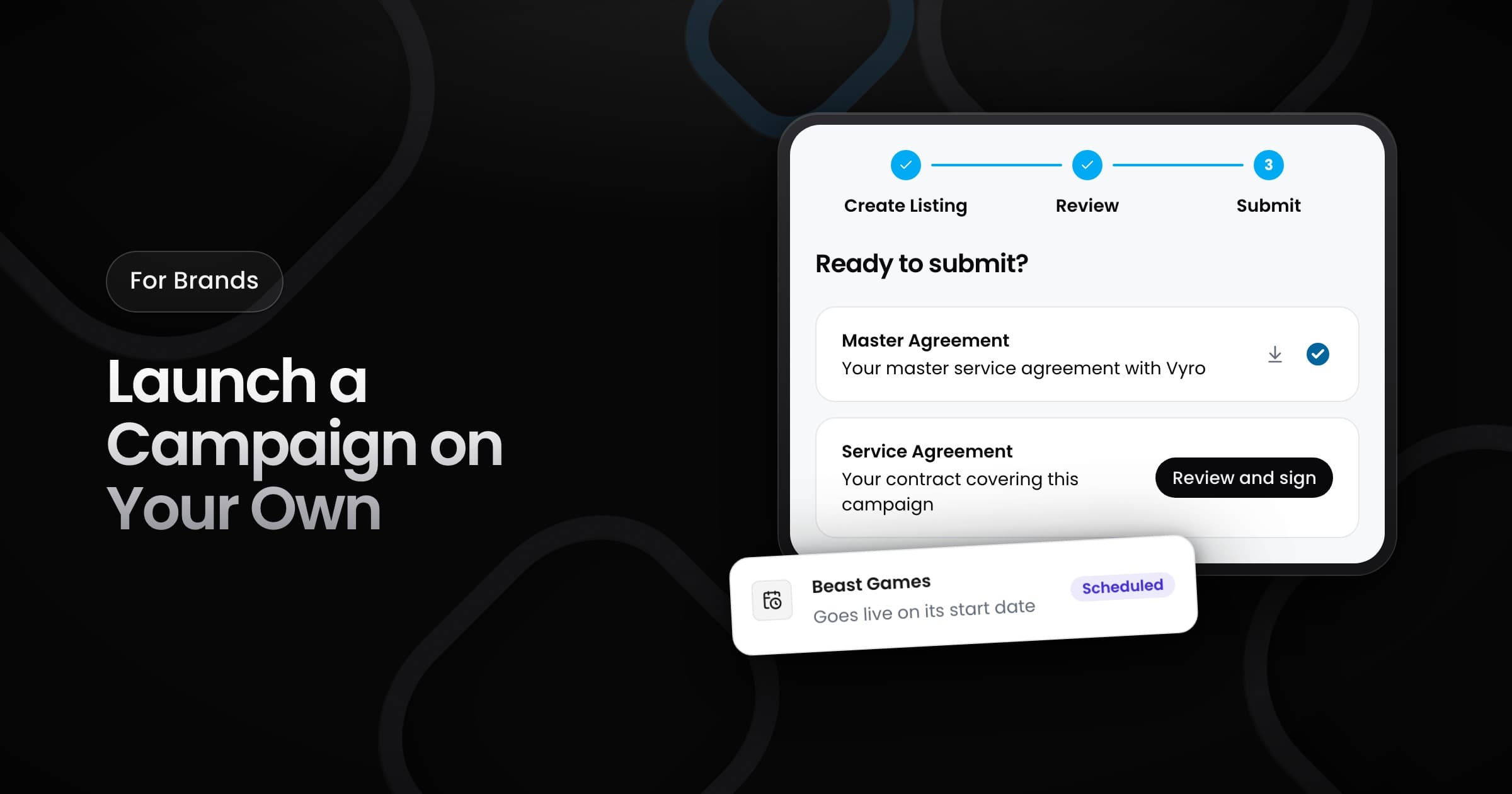
Brands can now build a clipping campaign, sign the agreements and submit it for review, all inside Vyro. The builder has three steps: Create Listing, Review and Submit.
Build your listing
Create Listing has four sections:
- Basic info: the campaign name, the platforms for the posts, and the name and picture that creators see.
- Campaign setup: the start and end dates, the budget and the rate that you pay for each 1,000 views.
- Content brief: what creators must make, the rules for their posts and how they must disclose the ad.
- Add media: the footage that creators clip. Upload at least one file.
If you leave the builder, Vyro keeps your draft, so you can finish it later. The Review step shows the full listing and brief before you sign.
Sign and submit
On the Submit step, you sign two agreements in the app, then you submit the campaign:
- Master Agreement: you sign it one time. It covers every campaign that you run after that.
- Service Agreement: each campaign gets its own agreement.
From review to live
- Pending review: the Vyro team checks the campaign before it goes live.
- Scheduled: the team approved the campaign. It goes live on its own on the start date.
- Action Required: the team changed the campaign and returned it to you. Review the changes and sign again.
The Campaigns page shows the status of each campaign. Vyro also emails you when the campaign ends and its posts go into review, and when the campaign completes.