Join Vyro as a UGC Creator
Pick UGC campaigns when you sign up, show brands up to five ads you made, and learn how UGC campaigns work.
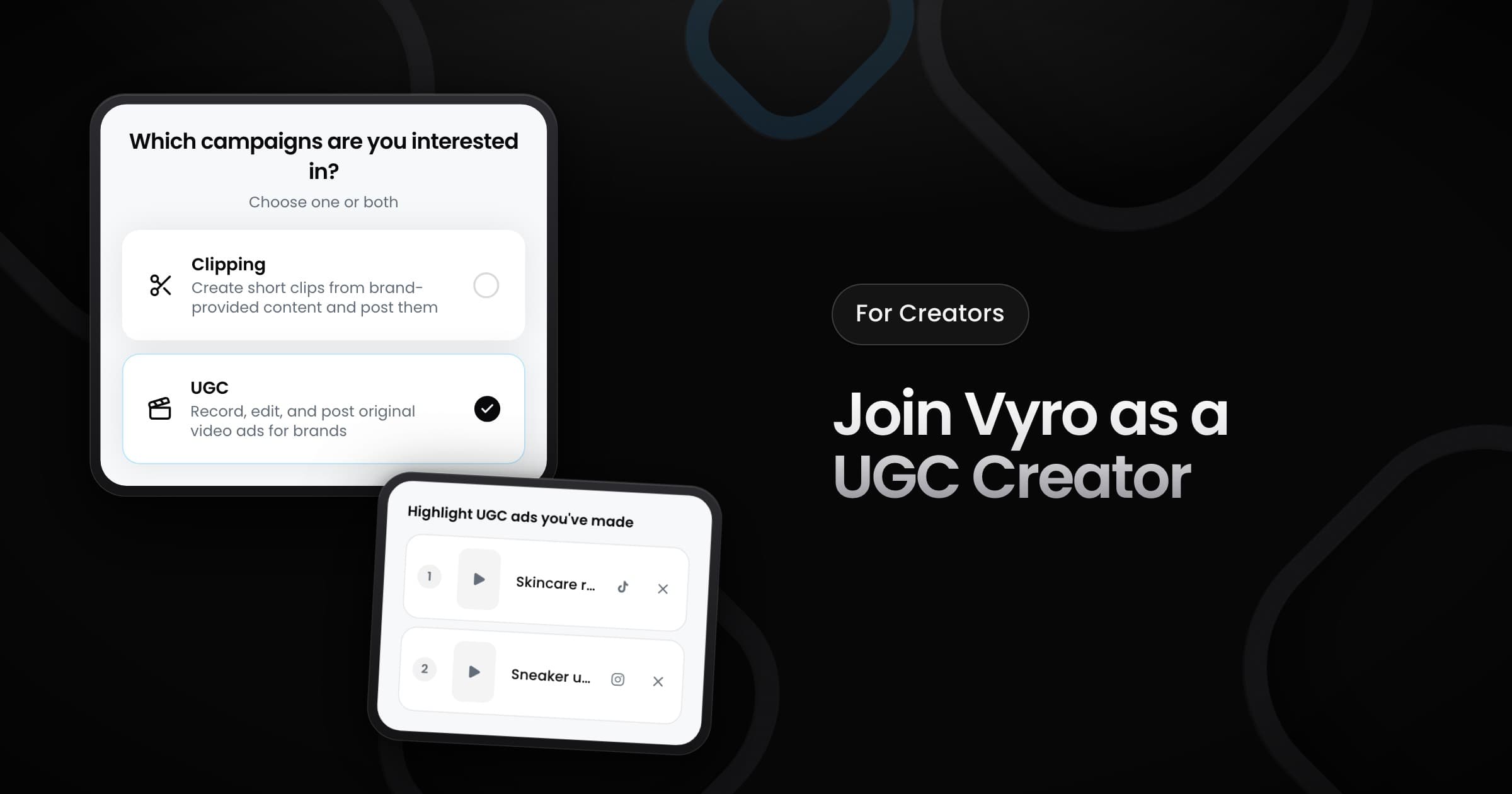
Creators can now sign up for UGC campaigns, not only for clipping.
Sign up for UGC
When you sign up, choose clipping, UGC or both. For UGC, you then:
- Tell us your experience: pick your level, from "just getting started" to "full-time UGC creator". This step is optional.
- Connect your accounts: connect the accounts where you post your ads, so brands can find you.
- Add work samples: paste links to up to five ads that you made on TikTok, Instagram, YouTube or X. You need a connected account on the same platform.
Already on Vyro? In Settings, select Edit campaign interests to turn on UGC, and add your ads under UGC portfolio. UGC is open in the United States, Canada, the United Kingdom, Australia, New Zealand and Ireland. In other countries, select Notify me.
Learn how UGC campaigns work
When UGC is open in your country, a short guide opens one time after you sign in. It explains:
- What UGC is: you film your own video about a product and post it on your account.
- How to submit: add the post link and upload the original video file.
- How you get paid: approved posts earn per view. When the brand picks your video for its ads, you also get a flat fee.
- What you agree to: the rules for a picked video, with a link to the Creator Terms.
To open it again, select the help button next to the UGC badge of a campaign.
Get found by brands
Brands can find you only after you connect an account and add at least one work sample. Brands most often pick creators with strong brand work, real views, a brand-safe profile, and a location and language that match their audience.