Check Your Post Before You Submit
Vyro checks your post against the campaign rules before you submit, so you can fix a problem before it costs you a rejection.
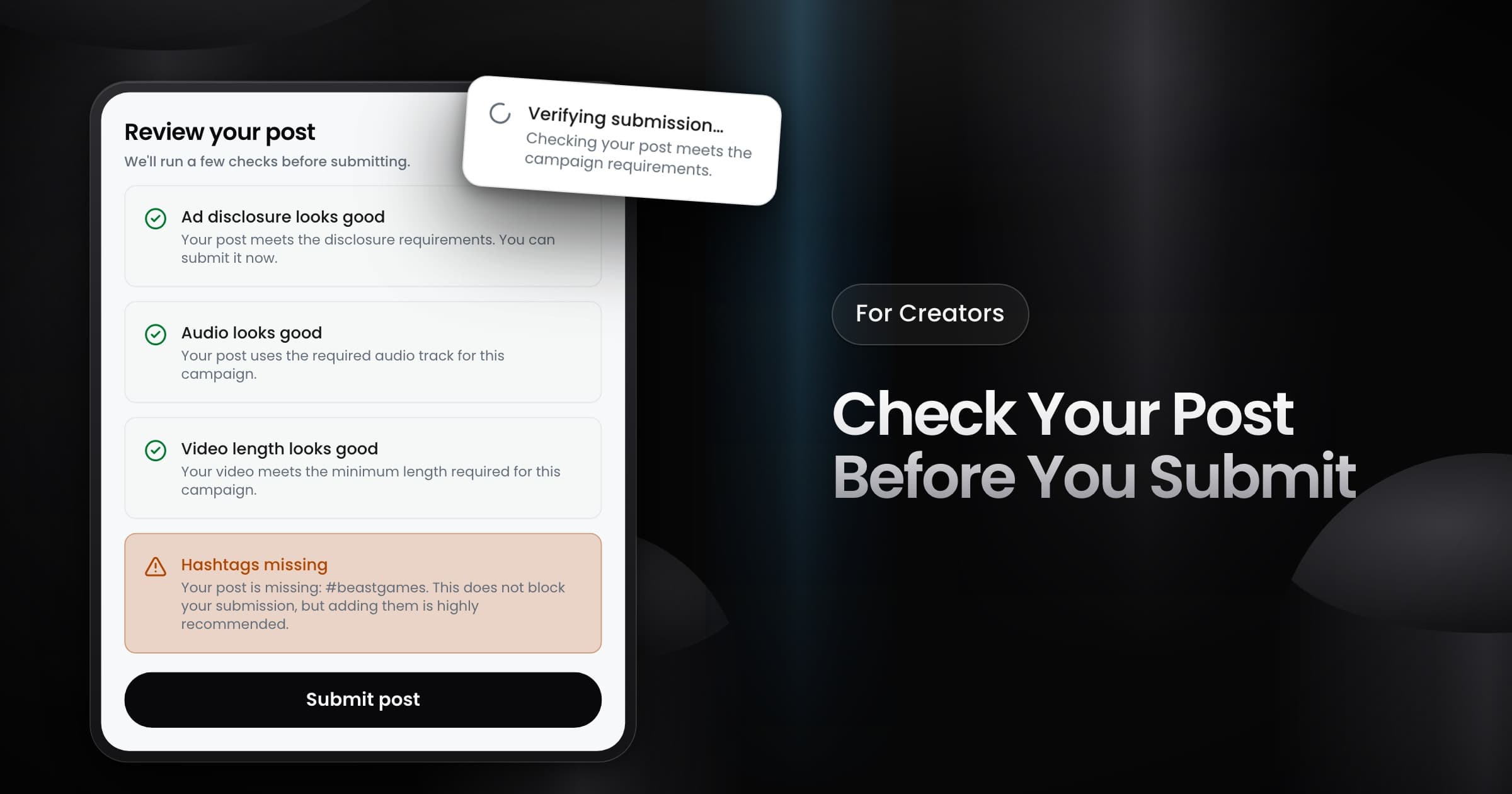
Creators can now check a post against the campaign rules before they submit it. When you pick a post for a campaign, Vyro shows one result card for each rule that the campaign sets.
What Vyro checks
- Ad disclosure: the disclosure hashtag or the paid partnership label that the campaign asks for.
- Audio: the audio track that the campaign requires.
- Video length: the minimum length of the video.
- Hashtags: the hashtags that the brief asks for.
You see only the checks for the rules that the campaign sets.
What each result means
- Pass: the post meets the rule.
- Blocker: a missing ad disclosure, the wrong audio track or a video that is too short. You cannot submit the post. Fix it, then pick it again.
- Warning: missing hashtags. You can still submit the post, but we recommend that you add them.
The check finds a problem before you submit, so you can fix it before the post goes to review.